
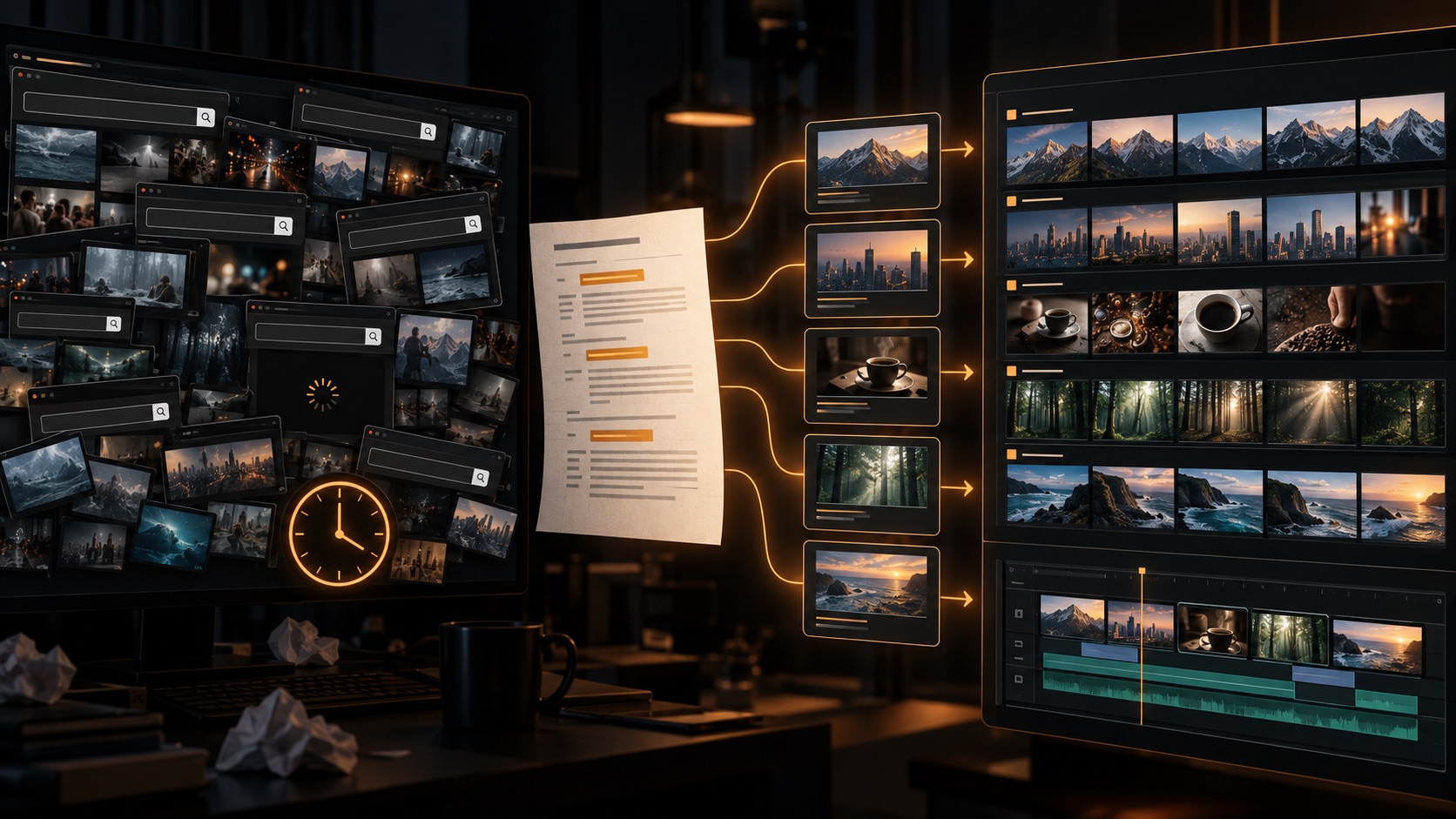
The fastest way to find stock video is to stop searching while you are still deciding what each line should show. Break your script into visual beats first, define the intent of every beat, then search with concrete combinations of subject, action, setting, and shot type. Shortlist before downloading, and name every selected clip by scene number.
That turns stock footage sourcing from an open-ended browse into a finite production pass. The goal is not to collect the most clips. It is to find one or two relevant, technically usable options for each moment in the script.
Why Searching for Stock Video Takes So Long
Stock libraries are optimized for discovery. Editors are trying to make decisions. Those are different jobs.
A search for “success” can return handshakes, mountain summits, cheering teams, charts, medals, and sunrise time-lapses. All may be tagged correctly, but only one may support your narration. The creator previews dozens of results, opens several tabs, downloads “maybe” clips, and repeats the process for the next sentence.
The hidden time cost is context switching:
- interpreting the script line;
- inventing a visual treatment;
- translating that treatment into keywords;
- checking framing, duration, resolution, and licensing;
- remembering where the clip belongs;
- returning later when the first choice does not cut together.
If you search inside the edit, every miss interrupts your creative rhythm. A dedicated sourcing pass is faster because the decisions are made in a consistent order.
The Typical Manual Stock-Footage Workflow—and Where It Breaks
A common workflow looks simple: read a line, search a phrase, preview results, download a stock clip, drag it into the timeline, and repeat. In practice, it produces three predictable problems.
One sentence is not always one visual
A sentence may contain a setup, contrast, and consequence. Treating it as one query either produces a vague result or asks a single clip to carry too much meaning.
Literal keywords flatten the story
Narration such as “the market froze” is not a request for ice. Searching the words instead of the meaning yields technically related but editorially wrong footage.
Downloads lose their context
Names such as video-48291.mp4 tell an editor nothing. By the time 30 files are in Downloads, sorting becomes another production stage.
For a useful benchmark of this friction, see ScenePull vs manual B-roll search. The broader lesson is simple: optimize the handoff between script, search, and edit—not just the search box.
Prepare the Script Before You Search
Do one visual pass through the finished script. Split it wherever the viewer should see a new idea, place, action, example, or emotional beat. These are sourcing units, not necessarily final cuts.
For each unit, write a compact visual brief:
| Script beat | Visual intent | Useful query |
|---|---|---|
| “Remote teams lost hours switching tools.” | Show fragmented work, not generic frustration | remote worker switching laptop apps desk |
| “Demand rose faster than supply.” | Show visible scarcity | empty warehouse shelves tracking shot |
| “The first prototype failed.” | Show a credible test setback | engineer testing prototype workshop close up |
| “Trust returned slowly.” | Show cautious human confidence | customer reading reviews phone cafe |
A script-to-shot-list workflow can make this pass more systematic. Even a small table with scene number, narration, visual intent, and status is enough. If the terminology is getting in the way of planning, start with the difference between stock footage and B-roll.
Identify the Visual Intent of Each Scene
Before choosing keywords, decide what the footage must accomplish. As the practical B-roll footage guide explains, supporting footage should serve the story rather than merely decorate it. Most YouTube B-roll falls into one of five jobs:
- Evidence: show the person, place, product category, or event being discussed.
- Demonstration: show how an action or process works.
- Context: establish an environment, era, industry, or scale.
- Emotion: reinforce tension, relief, confidence, isolation, or urgency.
- Transition: move the viewer between topics, locations, or time periods.
This decision prevents decorative footage. If the line explains a manufacturing delay, a cinematic skyline may look polished but communicate nothing. A loading dock, idle conveyor, or worker checking inventory carries the argument.
For abstract claims, ask: “What observable situation would prove this?” Search that situation. For transitions, ask: “What change should the viewer feel?” Then choose motion and pacing accordingly.
A Faster Search Method for Stock Clips
1. Build queries from visible details
Use a repeatable formula: subject + action + setting + optional shot characteristic.
- Weak:
productivity - Better:
designer organizing tasks laptop studio - More specific:
designer organizing tasks laptop studio overhead
Start with two or three concrete terms. Add “close up,” “wide,” “aerial,” “slow motion,” or a mood only when the edit requires it. Over-specified queries can hide useful alternatives.
2. Search concepts through actions
Stock metadata favors things a camera can see. Replace “financial uncertainty” with “investor watching falling chart,” or “community” with “neighbors setting up street event.” Verbs usually improve relevance more than extra adjectives.
3. Run controlled variations
Do not rewrite the entire query after one poor results page. Change one variable:
- subject: founder → small business owner;
- action: reviewing → comparing;
- setting: office → workshop;
- framing: wide → close up.
This makes it clear which term improves the result and keeps you from circling back to the same searches.
4. Filter early for technical fit
Choose orientation and size before deep previewing. Pexels supports orientation and size filters for video. For a standard YouTube upload, 16:9 is the usual desktop aspect ratio; YouTube recommends keeping the source frame rate and offers 1920×1080 as its 1080p 16:9 resolution. A beautiful vertical clip can still be the wrong asset if reframing destroys the subject.
5. Use a stopping rule
Shortlist up to three viable stock clips for a scene, then move on. A stopping rule limits perfectionist browsing. Review the sequence as a whole before downloading final choices; continuity problems are easier to see when adjacent scenes are visible together.
Choose for the Edit, Not the Thumbnail
Preview enough of each candidate to answer practical questions:
- Does the useful action happen long enough for the intended cut?
- Is there clean space before or after the action?
- Will camera direction clash with adjacent footage?
- Does the grade and lighting belong with the surrounding clips?
- Are logos, faces, property, or releases relevant to the intended use?
- Can the frame survive the crop required by the project?
A strong thumbnail can hide a two-second usable moment, shaky movement, or a late focus pull. Downloading before previewing simply moves search time into the edit.
License checks also belong in the selection pass. Keep the asset page URL or proof of license with the project. Pixabay’s current license summary permits free use, modification, and use without attribution, subject to prohibited uses and possible third-party rights. For a fuller workflow, read the guide to stock footage licensing for YouTube.
Organize Downloaded Video Footage for YouTube
Your folder structure should preserve the logic of the script. A compact structure works well:
project-name/
  01-hook/
  02-problem/
  03-example/
  04-solution/
  license-records/
Rename selected files as they arrive: 03-prototype-test-wide.mp4. Put alternates in a subfolder or mark them consistently. If a clip is replaced, the filename still tells the next editor where it belongs.
For teams, add a sourcing sheet with scene number, selected filename, source URL, license note, and approval status. The sheet is less glamorous than searching, but it prevents duplicate work and makes client revisions faster.
For software options at each stage, compare automatic B-roll tools for sourcing and timeline insertion before choosing which part of this workflow to automate.
Manual Libraries vs Script-Based Sourcing
| Stage | Manual stock library | Script-based sourcing |
|---|---|---|
| Scene breakdown | Creator interprets each line while searching | Scenes are identified before asset review |
| Queries | Written one at a time | Derived from each scene’s context |
| Review | Across tabs and downloads | Grouped by scene |
| Organization | Renamed and sorted manually | Assets retain scene context |
| Best use | One-off, highly art-directed searches | Scripted, repeatable production |
Manual search remains valuable when a shot needs an unusual location, exact historical detail, specific performance, or distinctive visual style. Script-based sourcing is strongest when a video needs broad coverage across many scenes and the bottleneck is repetitive discovery and organization.
A Recommended Workflow for YouTube Creators and Editors
- Lock the narration. Avoid sourcing against a draft that will change substantially.
- Mark visual beats. Split on ideas and visual changes, not punctuation alone.
- Assign intent. Evidence, demonstration, context, emotion, or transition.
- Write queries. Combine visible subject, action, and setting.
- Filter. Remove technically unsuitable clips early.
- Shortlist. Keep up to three candidates per scene.
- Review in sequence. Check variety, continuity, and repeated motifs.
- Verify rights and download. Save source and license records.
- Rename immediately. Preserve scene order in filenames and folders.
- Fill only the gaps. Return to search for unresolved scenes, not the entire script.
This workflow works for a solo faceless channel, a freelance editor handing assets to a client, or an agency producing several videos at once. The scale changes; the decision order does not.
How ScenePull Speeds Up Script-to-Footage Sourcing
ScenePull analyzes a written script, detects scenes, finds relevant stock video clips and images for each scene, and organizes those assets for the editing workflow.
It does not generate original video, replace creative judgment, or edit the finished video. You still decide whether a shot fits the argument, tone, continuity, and rights requirements of the project. The useful shift is that you begin with scene-organized candidates instead of a blank search box for every line.
That makes ScenePull a good fit for scripted explainers, documentaries, faceless channels, and repeatable client work. For a single hero shot with exact art direction, manual research may still be the better choice. Use automation for coverage; spend human search time where specificity matters.
The Fastest Workflow Is a Better Decision System
Finding stock footage faster is not about typing faster or accepting the first result. It is about separating editorial decisions: script first, visual intent second, query third, technical and licensing checks fourth, organization immediately after selection.
Once every scene has a clear job, stock video search becomes bounded. You know what the footage must communicate, what “good enough” looks like, and when to stop. That is what saves time—and it usually produces a more coherent YouTube edit as well.
Start With Your Script
Let ScenePull handle scene detection and surface relevant stock video and image options for your editing workflow. You stay in control of the creative choices.